Background Removal
Remove backgrounds from your images instantly using AI. Perfect for product photos, portraits, and more.
How It Works
Upload Your Image
Drag and drop or select any image with a subject you want to isolate. We support JPG, PNG, WebP, and HEIC formats up to 20MB. You can also pick images directly from your Sirv CDN account.
Choose Quality Settings
Select from Fast, Balanced, Best Quality, Hair & Fur, or People presets. Each is optimized for different use cases—from quick previews to pixel-perfect edge detection on complex subjects.
AI Removes the Background
Our BiRefNet or Bria AI models analyze your image, identifying the foreground subject with pixel-perfect accuracy. The AI handles complex edges like hair, fur, transparent objects, and fine details automatically.
Download or Save to Sirv
Get your transparent PNG instantly. Download in PNG (transparent) or JPG (white background) format, or save directly to your Sirv CDN for immediate use across all your platforms.
See it in action
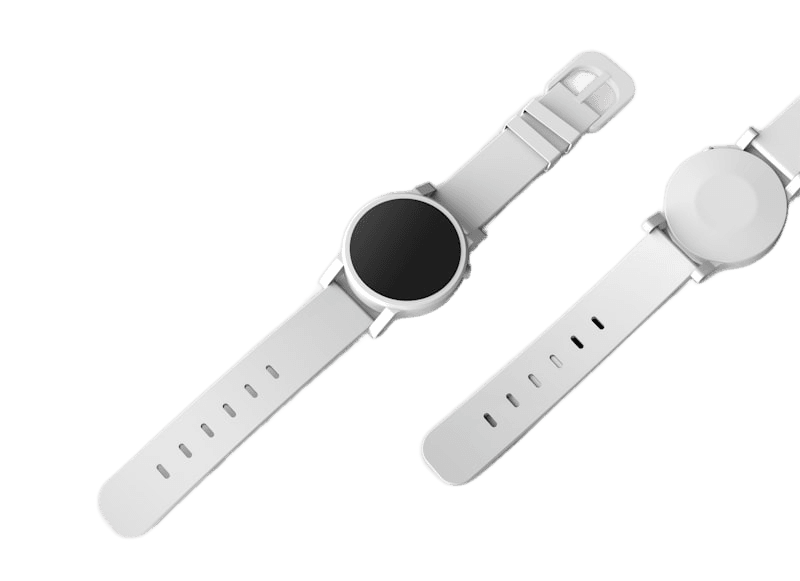
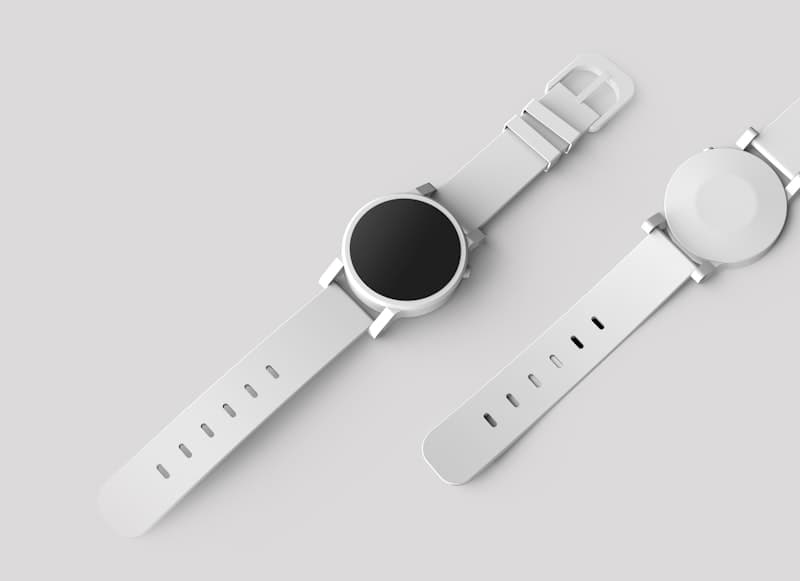
E-commerce product on white background
Why Choose Our Background Remover
Under 3 Second Processing
Remove backgrounds in seconds, not minutes. Our optimized AI pipeline delivers results faster than any manual editing.
Pixel-Perfect Edge Detection
State-of-the-art AI handles hair strands, fur, transparent objects, and complex boundaries that would take hours to mask manually.
Multiple AI Models
Choose between BiRefNet (5 quality presets) or Bria (commercial-grade) for the perfect balance of speed and accuracy.
Transparent PNG Output
Download ready-to-use transparent PNGs compatible with any design tool, website, or e-commerce platform.
Quick Preview Mode
Preview results on large files before committing. Get a fast preview at 1024px, then process at full resolution.
Sirv CDN Integration
Save processed images directly to Sirv for instant global CDN delivery. No re-uploading needed.
Batch Processing
Process unlimited images with our batch tool. Perfect for e-commerce catalogs and large photo libraries.
Privacy First
Images are processed securely and deleted after processing. Your photos never leave our encrypted pipeline.
Technical Specifications
Compare AI Models
Choose the right model for your use case
| Feature | BiRefNetMost VersatileOpen-source, multiple presets | BriaCommercial GradeEnterprise AI model |
|---|---|---|
| Processing Speed | 1-3 sec | 2-4 sec |
| Output Quality | Excellent | Premium |
| Hair Detection | ||
| Fur & Fine Details | ||
| Transparent Objects | ||
| Portrait Optimization | ||
| Product Photos | ||
| Quality Presets | 5 options | 1 (auto) |
| Credit Cost | 1 credit | 2 credits |
Works with all major platforms
Export transparent PNGs ready for any marketplace or design tool
Perfect For
E-commerce Product Photos
Create clean product photos with transparent or white backgrounds for Amazon, Shopify, eBay, and all major marketplaces. Meet strict listing requirements automatically.
Professional Headshots
Remove distracting backgrounds from portraits and profile pictures for LinkedIn, resumes, corporate directories, and team pages.
Marketing & Social Media
Isolate subjects for flyers, social media graphics, advertisements, and promotional content. Create eye-catching visuals without expensive photoshoots.
Photo Compositing
Extract subjects to composite into new scenes, collages, or creative photo manipulations. Perfect for digital artists and photographers.
Real Estate & Interior Design
Remove backgrounds from furniture and decor items for virtual staging, catalogs, and design presentations.
Print-on-Demand Products
Prepare artwork and designs for t-shirts, mugs, phone cases, and other print-on-demand products with clean transparent backgrounds.
Frequently Asked Questions
We support JPG, PNG, WebP, and HEIC images up to 20MB. The output is always a high-quality transparent PNG file that works everywhere. For JPG download, we add a white background.
Our BiRefNet and Bria models achieve state-of-the-art accuracy, handling complex edges like hair, fur, and even semi-transparent objects. The AI is trained on millions of images for pixel-perfect results. For challenging images, use the 'Hair & Fur' or 'Best Quality' presets.
BiRefNet is our default model with 5 quality presets (Fast, Balanced, Best Quality, Hair & Fur, People). It costs 1 credit per image. Bria is a commercial-grade AI that automatically optimizes for your image type and costs 2 credits. Both produce excellent results.
Yes! Use our Batch Background Removal tool to process unlimited images. You can upload files directly, import URLs from CSV/Excel, or connect to Google Sheets. Perfect for e-commerce catalogs and large photo libraries.
For large images (3MB+), we offer Quick Preview—a fast preview at 1024px resolution before processing at full quality. This saves credits when you want to check results first, especially when experimenting with different images.
If you pick an image from your Sirv account or have Sirv connected, you'll see an 'Upload to Sirv' button after processing. You can save alongside the original, replace it, or choose a custom path. The image is instantly available on Sirv's global CDN.
Yes, you get free credits daily to try our tools. Background removal costs just 1-2 credits per image depending on the model. Sign up for more credits or subscribe for higher limits.
Your privacy is our priority. Images are processed securely using encrypted connections and are not stored permanently on our servers. We automatically delete uploaded images shortly after processing completes.
Related Tools
Background Removal Use Cases
Explore specialized workflows for your specific needs
Product Photos
Create clean product images for e-commerce listings
E-commerceProfessional Portraits
Remove backgrounds from headshots and portraits
PhotographyMarketing Images
Create cutouts for ads and social media
MarketingJewelry Photos
Handle reflective surfaces and fine details
JewelryFashion & Apparel
Remove backgrounds from clothing and accessories
FashionCar & Vehicle Photos
Remove backgrounds from car and vehicle images for dealer listings
AutomotiveIndustries Using Background Removal
See how different industries leverage this tool