Alt Text Generator
Generate SEO-friendly alt text descriptions for your images automatically. Improve accessibility and search rankings.
Drop a file here or click to upload
Example outputs
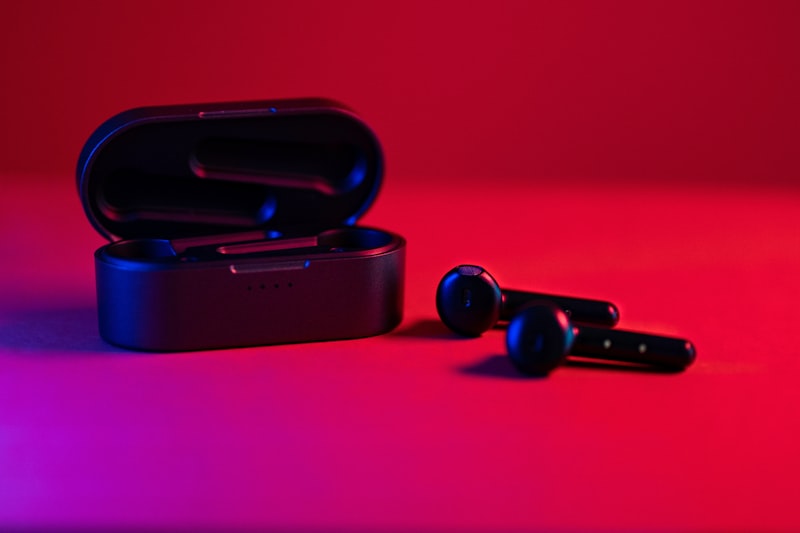
Generated Text
“The image shows a pair of black Xiaomi Mi True Wireless Earbuds sitting on top of a red surface. The earbuds have a sleek, modern design with a glossy finish and a comfortable fit. The box they come in is also black and has a handle on the top for easy carrying.”
Use this alt text in your HTML for better SEO and accessibility.
Alt Text Generator Features
Process a product catalogue
Import image URLs to your workspace, then use supported batch tools within your plan's limits.
Paste image URLs or import a CSV of image links.
Sign up to import image URLsFrequently Asked Questions
Alt text (alternative text) is a description of an image that appears when the image cannot be displayed and is read by screen readers. It's crucial for web accessibility (WCAG compliance) and helps search engines understand image content, improving your SEO rankings.
Start with the default model for most images. Use a quick model for simple images, or a richer model when you need more context. The comparison table on this page shows how they differ. All models share a starting credit cost of 1 credit, and source megapixels can increase the final quote.
Choose the right model for your alt text needs
Short (125 chars): brief descriptions for simple images. Medium (200 chars): adds the context a screen reader needs. Long (300 chars): every detail that matters for complex images or strict accessibility requirements.
Our AI uses advanced image analysis to generate accurate, contextual descriptions. It identifies objects, people, actions, colors, and text within images. While highly accurate, we recommend reviewing generated text for critical applications.
Yes! Well-written alt text is a key SEO factor. Search engines use alt text to understand image content and context, improving your image search rankings and overall page relevance.
Yes. Use the Batch Alt Text tool. Upload files, paste URLs, or import from CSV, Excel or Google Sheets. Download the results as a CSV. If you connect your own Sirv account, the tool can also update the image descriptions in Sirv.
We support all major image formats including JPG, PNG, GIF, WebP, BMP, TIFF, HEIC, HEIF, AVIF. Maximum file size is 20MB per image.