Connect Claude or ChatGPT with MCP
Connect Claude, ChatGPT or another MCP client to Sirv AI Studio, so an AI assistant can search, edit and process your assets and products.
The Sirv AI Studio MCP server lets an AI assistant work in your workspace. MCP (Model Context Protocol) is an open standard that assistants such as Claude and ChatGPT use to call tools in other products. Once connected, you can ask the assistant to find assets, check products or run AI tools, and it calls Studio for you.
Who can use this
- Plan: Growth or Enterprise. On Growth, the assistant can read your workspace: list, get and search assets, products and workflows, and check usage. Tools that change data, run AI or spend credits need full access, which comes with Enterprise.
- Requests: every tool call counts towards your workspace's monthly API and MCP limit: 25,000 on Growth, custom on Enterprise. See Request limits.
- Permissions: the assistant acts as you. It can only do what your role allows in the workspace you connect.
- Credits: AI tools spend your workspace's credits, at the same price as in the app.
Connect Claude
- In Studio, open the workspace you want to connect.
- In Claude, open the connector settings and add a custom connector.
- Enter
https://mcp.sirv.studioas the server URL and connect. - Sign in to Studio if asked.
- On the Authorize MCP Client page, check that Sirv AI MCP Server is asking for access, then click Authorize.
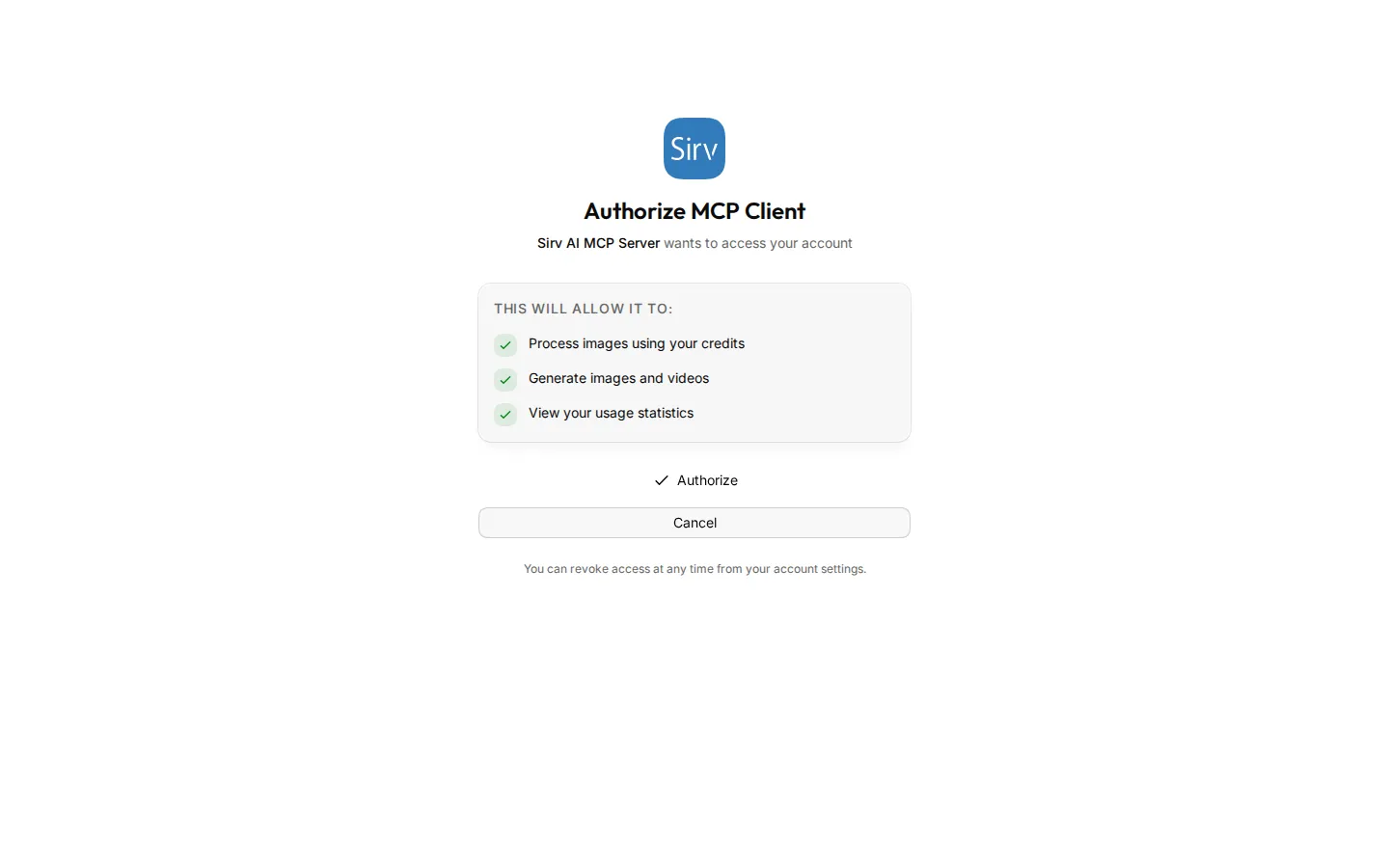
Claude returns to the chat, and the Studio tools are ready to use.
Connect ChatGPT
- In Studio, open the workspace you want to connect.
- In ChatGPT, add a custom connector in the settings.
- Enter
https://mcp.sirv.studioas the server URL, with OAuth sign-in. - Sign in to Studio if asked, then click Authorize.
In ChatGPT, image tools also show their result as an image preview in the chat.
Connect another MCP client
Any MCP client that supports remote servers and OAuth with PKCE can connect to https://mcp.sirv.studio in the same way.
If your client can send custom headers, you can use your API key instead of signing in. For example, in Claude Code:
claude mcp add --transport http sirv-studio https://mcp.sirv.studio \
  --header "Authorization: Bearer $SIRV_STUDIO_API_KEY"
Which workspace the assistant uses
The connection belongs to the workspace you had open in Studio when you clicked Authorize. To use another workspace, switch to it in Studio and connect again.
The assistant stays signed in as long as you keep using it. If you do not use the connection for 90 days, connect again. To disconnect, remove the connector in Claude or ChatGPT.
Tools
The server has 55 tools. Read tools work on Growth and Enterprise. Full tools need Enterprise, and some also need a feature or add-on, shown in brackets.
Assets
| Tool | What it does | Access |
|---|---|---|
sirv_list_assets |
List assets, with filters and pagination. | Read |
sirv_get_asset |
Get one asset. | Read |
sirv_search_assets |
Search assets by text. | Read |
sirv_find_similar_assets |
Find visually similar assets. | Read |
sirv_get_asset_metadata |
Read an asset's custom metadata. | Read |
sirv_update_asset |
Change an asset's file name, alt text or favourite flag. | Full |
sirv_update_asset_metadata |
Change an asset's custom metadata. | Full |
sirv_generate_asset_alt_text |
Write alt text for an asset with AI. | Full |
sirv_bulk_asset_operation |
Favourite, tag, move or delete many assets. | Full |
sirv_import_asset_url |
Import an asset from a URL. | Full |
sirv_delete_asset |
Move an asset to the trash. | Full |
Products
| Tool | What it does | Access |
|---|---|---|
sirv_list_products |
List products, with filters and pagination. | Read |
sirv_get_product |
Get one product. | Read |
sirv_search_products |
Find products by name or SKU. | Read |
sirv_list_products_with_assets |
List products with their linked assets. | Read |
sirv_create_product |
Create a product. | Full |
sirv_update_product |
Change a product. | Full |
sirv_link_assets_to_product |
Link assets to a product. | Full |
sirv_bulk_product_action |
Delete, change the status of or link assets to many products. | Full |
sirv_delete_product |
Delete a product. | Full |
AI image, video and 3D tools
All of these spend credits.
| Tool | What it does | Access |
|---|---|---|
sirv_remove_background |
Remove the background from an image. | Full |
sirv_upscale |
Upscale an image. | Full |
sirv_background_replace |
Replace the background with a generated scene. | Full |
sirv_object_removal |
Remove objects from an image. | Full |
sirv_generate |
Generate an image from a text prompt. | Full |
sirv_image_to_image |
Change an image with a text prompt. | Full |
sirv_image_translation |
Translate the text inside an image. | Full |
sirv_product_lifestyle |
Put a product into a lifestyle scene. | Full |
sirv_virtual_try_on |
Show a garment on a model. | Full |
sirv_alt_text |
Write alt text for an image. | Full |
sirv_depth_map |
Make a depth map from an image. | Full |
sirv_video_generation |
Generate a video from text or an image. | Full |
sirv_video_upscale |
Upscale a video. | Full |
sirv_image_to_3d |
Make a 3D model from an image. | Full |
sirv_optimize_glb |
Make a GLB model smaller. | Full |
sirv_batch_remove_background |
Remove backgrounds from many images. | Full (batch processing) |
sirv_batch_upscale |
Upscale many images. | Full (batch processing) |
Workflows
| Tool | What it does | Access |
|---|---|---|
sirv_list_workflows |
List saved workflows. | Read |
sirv_get_workflow |
Get a workflow and its steps. | Read |
sirv_execute_workflow |
Run a saved workflow on images. | Full |
Shopify
| Tool | What it does | Access |
|---|---|---|
sirv_shopify_status |
Check the Shopify connection. | Read |
sirv_push_image_to_shopify |
Publish an asset to a Shopify product. | Full (Shopify connected) |
sirv_sync_shopify_products |
Import Shopify products and images in the background. | Full (Shopify connected) |
Supplier Portal
| Tool | What it does | Access |
|---|---|---|
sirv_get_supplier_review_assist_requirements |
Read what supplier submissions must meet. | Read |
sirv_get_supplier_sftp_status |
Check the supplier SFTP connection details. | Read (Supplier Portal Pro add-on) |
sirv_run_supplier_autofix |
Fix a supplier image with AI. | Full |
Sirv files
These tools work on files in the Sirv account connected to your workspace, not on the Studio library.
| Tool | What it does | Access |
|---|---|---|
sirv_cdn_search_files |
Search files. | Read |
sirv_cdn_get_file_metadata |
Read a file's metadata. | Read |
sirv_cdn_manage_folder |
Create a folder or list its contents. | Full |
sirv_cdn_upload_from_url |
Upload a file from a public URL. | Full |
sirv_cdn_update_file_metadata |
Set a file's title, description, tags or product details. | Full |
sirv_cdn_update_file_tags |
Add or remove file tags. | Full |
sirv_cdn_manage_file |
Rename, copy or delete a file. | Full |
Account
| Tool | What it does | Access |
|---|---|---|
sirv_get_usage |
Show credit use and the most used operations. | Read |
sirv_list_organizations |
List the workspaces you belong to. | Read |
Example prompts
On Growth and Enterprise:
- "Show my 10 newest assets."
- "Search my assets for black leather handbag."
- "Find the product with SKU CHAIR-001 and list its images."
- "Which products have no images linked?"
- "How many credits has the workspace used this month?"
On Enterprise:
- "Remove the background from https://example.com/product.jpg."
- "Write alt text for every image linked to CHAIR-001."
- "Create a product called Modern Chair with SKU CHAIR-002."
- "Run my Marketplace prep workflow on these three images."
