Developers
Connect your own code and AI assistants to Sirv AI Studio with an API key, the REST API, the MCP server and webhooks.
Use the REST API, the MCP server and webhooks to read and change your Studio workspace from your own code or from an AI assistant. This page covers what every integration needs: plan access, API keys, authentication, limits, errors and pagination.
Who can use this
| Free | Core | Growth | Enterprise | |
|---|---|---|---|---|
| Read through the API and MCP | No | No | Yes | Yes |
| Change data and run AI tools through the API and MCP | No | No | No | Yes |
| API and MCP requests per month | None | None | 25,000 | Custom |
| Webhook deliveries per month | None | None | 100,000 | Custom |
On Growth, the API and MCP can read your workspace: list, get and search assets, products and workflows, and check usage. Requests that change data, run an AI tool or spend credits need full access, which comes with Enterprise. A request your plan does not include returns 402.
To open Settings > API keys, you need permission to view workspace settings. To generate, regenerate or revoke a key, you need permission to edit workspace settings. Owners and Admins have both by default.
Create an API key
- In Studio, open Settings > API keys.
- Click Generate API key.
- Copy the key with the copy button next to it. Studio shows the key once, under Save this key now.
- Store the key in your secrets manager or environment variables. Never put it in client-side code or a public repository.
- Click Hide key.
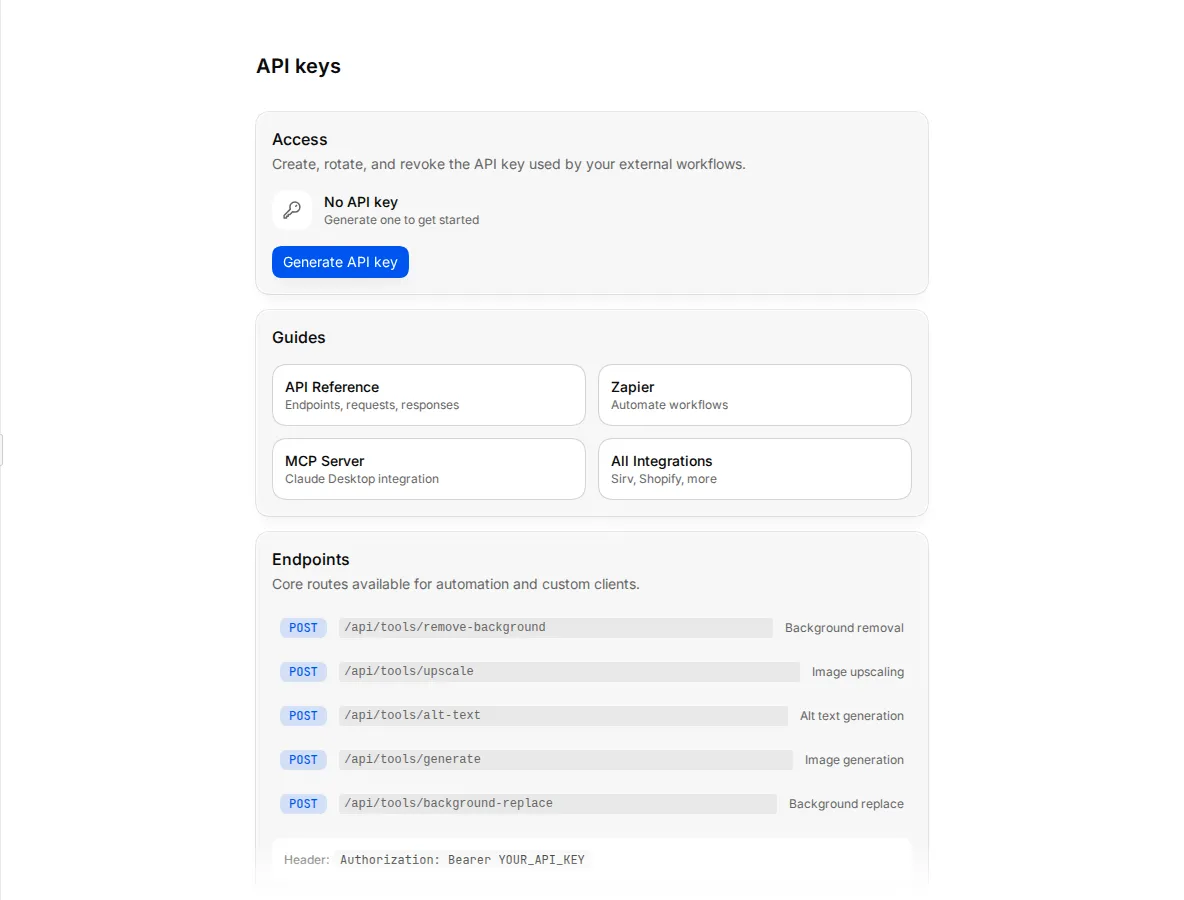
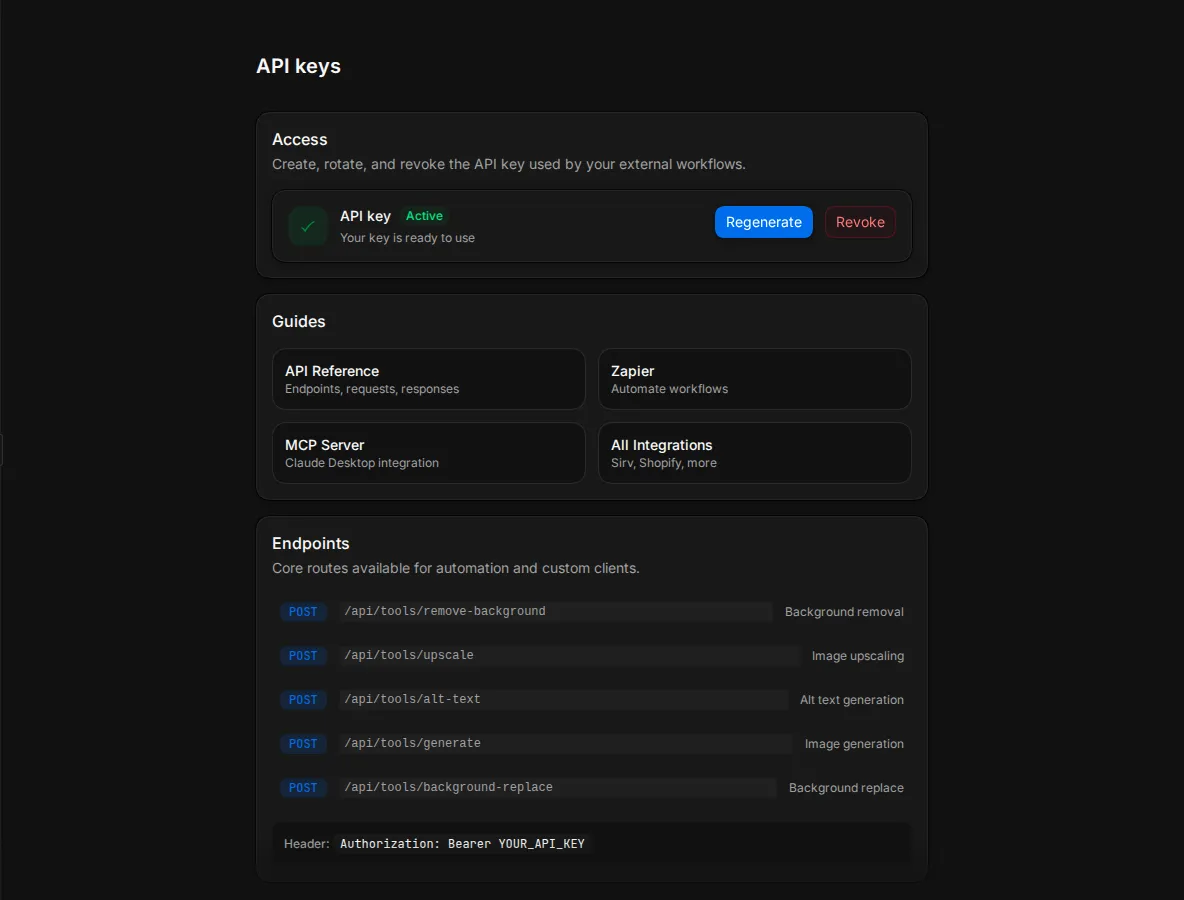
How API keys work:
- The key is yours. It acts as you, with your role's permissions, in the workspace where you created it. If you leave that workspace or lose a permission, the key loses that access too.
- You have one key. Generating a new key replaces your old one, even if you created the old one in another workspace.
- Studio stores only a hash. Nobody at Sirv can show you the key again. If you lose it, regenerate it.
- You can generate a key 3 times an hour.
Rotate or revoke a key
To rotate a key, click Regenerate and confirm. The old key stops working at once, so update your integrations with the new key straight away.
To revoke a key, click Revoke and confirm. Every integration that uses the key stops working, and you cannot undo this. Revoke a key from the workspace it belongs to.
Authenticate requests
The API base URL is https://www.sirv.studio. Send the key as a bearer token in the Authorization header of every request:
curl "https://www.sirv.studio/api/assets?limit=20" \
  -H "Authorization: Bearer $SIRV_STUDIO_API_KEY"
API keys start with sk_live_. A key always works in the workspace where you created it. If you also send an X-Org-Id header, it must name that same workspace, or Studio refuses the request with 401.
Request and response bodies are JSON. The API reference lists every endpoint, its fields and its responses, and you can download the specification as /openapi.json or /openapi.yaml.
AI tool endpoints spend your workspace's credits, at the same price as in the app. See Credits.
Request limits
Monthly limit. Every API request and every MCP tool call counts towards your workspace's monthly limit: 25,000 on Growth, custom on Enterprise. The count resets at 00:00 UTC on the first day of each month. When you reach it, requests return 402 with the code API_MCP_REQUEST_LIMIT_REACHED.
Rate limits. Studio also limits how many requests one person can send in a sliding one-hour window. The limit depends on the kind of request:
| Kind of request | Growth | Enterprise |
|---|---|---|
| Reads | 120,000 an hour | 240,000 an hour |
| Changes and AI tools | 10,000 an hour | 30,000 an hour |
| Uploads | 25,000 an hour | 60,000 an hour |
Some endpoints have their own, lower limits. Rate-limited responses carry these headers:
| Header | Meaning |
|---|---|
X-RateLimit-Limit |
Requests allowed in the current window. |
X-RateLimit-Remaining |
Requests left in the current window. |
X-RateLimit-Reset |
Unix time, in seconds, when the window resets. |
Retry-After |
Seconds to wait. Only sent with a 429. |
When you get a 429, wait for Retry-After seconds before you try again. Do not retry at once in a loop.
Errors
Errors return a JSON body with an error message. Most also include a stable code that your code can check:
{
  "error": "API and MCP monthly request limit reached for this workspace.",
  "code": "API_MCP_REQUEST_LIMIT_REACHED"
}
Some errors add details, retryable, retryAfterMs or, for server errors, an eventId to quote to support.
| Status | Common codes | What to do |
|---|---|---|
400 |
Fix the request body or query parameters. The error message names the problem. |
|
401 |
Check that the key is correct and has not been revoked. | |
402 |
API_MCP_ENTITLEMENT_REQUIRED, API_MCP_FULL_ENTITLEMENT_REQUIRED, API_MCP_REQUEST_LIMIT_REACHED, INSUFFICIENT_CREDITS |
Your plan does not include this request, the monthly limit is reached or the workspace is out of credits. |
403 |
PERMISSION_DENIED |
Your role does not allow this action. Ask an Owner or Admin. |
404 |
The item does not exist in this workspace. | |
429 |
RATE_LIMIT |
Wait for Retry-After seconds. |
503 |
API_MCP_REQUEST_METER_UNAVAILABLE |
Studio cannot count requests right now. Wait for Retry-After seconds. |
500 |
Try again later. If it keeps happening, contact support with the eventId. |
Pagination
List endpoints page with limit and offset, and return a total:
curl "https://www.sirv.studio/api/assets?limit=100&offset=100" \
  -H "Authorization: Bearer $SIRV_STUDIO_API_KEY"
| Endpoint | Default limit |
Largest limit |
|---|---|---|
GET /api/assets |
50 | 100 |
GET /api/assets/search |
50 | 100 |
GET /api/products |
50 | 200 |
GET /api/products/search |
10 | 50 |
GET /api/products also returns hasMore. When you filter products by readiness, page with cursor instead of offset: pass the nextCursor from each response until hasMore is false. A page can hold fewer products than limit, or none, while hasMore is still true.
Pages in this section
- API reference: every REST endpoint, with its fields and responses.
- MCP server: connect Claude or ChatGPT to your workspace.
- Webhooks: get a request on your server when Studio creates an asset.