Run a recipe on products
Run a ready-made chain of image steps, such as clean, crop and upscale, on the images of many products at once.
A recipe is a ready-made chain of image steps. Pick products, pick a recipe, and Studio runs the steps on every image linked to those products. Recipes save you building a workflow for common jobs such as cleaning up main images for a marketplace.
Who can use this: Owners, Admins and Editors. Running a recipe needs the right to run workflows. Each step uses credits at the price of its AI tool. See Credits.
Run a recipe
- Go to Products > All products and select the products. You can select up to 100 products at a time.
- Open AI and select Run recipe…. The Run a recipe panel opens.
- Read the cards. Each card shows the recipe's name, what it does, its category and its steps, such as Remove background, Smart crop and Upscale.
- Select Run on the recipe you want.
Studio says Run and the run number started. The run uses every image linked to the selected products, in their slot order. Follow it with your workflow runs, see Workflows.
Recipes that end with a Review step hold their results for approval. Approve them in Review or on the product page under Generated content to review.
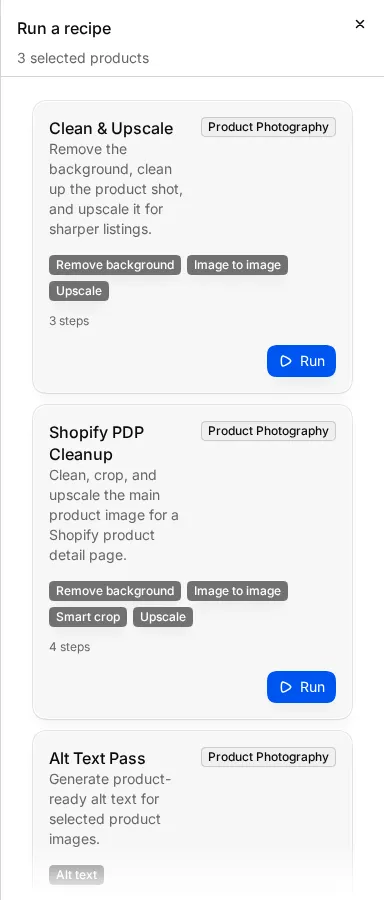
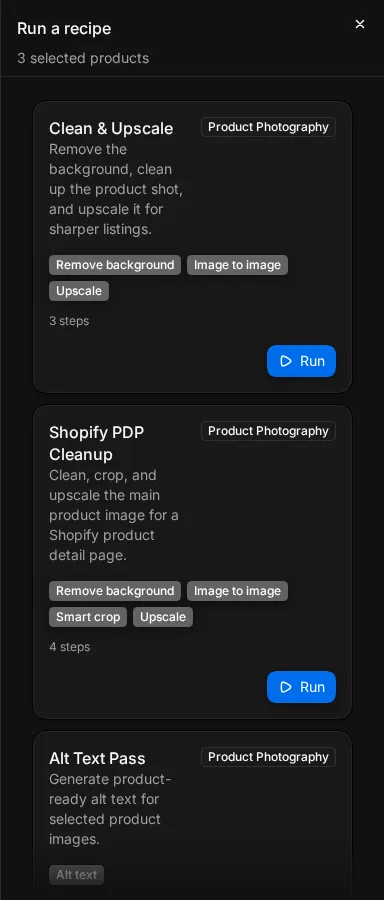
Recipe names and descriptions show in English in every language.
What each recipe runs
Steps run in the order shown. "Upscale 2x" and "Upscale 4x" are the upscale size.
Product photos
| Recipe | Steps | Good for |
|---|---|---|
| Clean & Upscale | Remove background, Image to image, Upscale 2x | Sharper, cleaner product shots |
| Shopify PDP Cleanup | Remove background, Image to image, Smart crop, Upscale 2x | Main images for a Shopify product page |
| Alt Text Pass | Alt text | Missing alt text |
| Supplier Intake Repair | Remove background, Smart crop, Image review, Review | Supplier images, checked against Shopify image rules, then held for review |
| Lifestyle Product Shot | Remove background, Product lifestyle | A missing lifestyle photo |
| Background Swap + Upscale | Replace background, Upscale 2x | A new scene behind the product |
| Premium Product Shot | Replace background, Upscale 4x | High-end shots |
| Product Enhancement | Remove background, Image to image, Upscale 2x | A clean product on white |
| Amazon Main Image Prep | Remove background, Smart crop, Add shadow (contact), Upscale 2x | Amazon main image rules |
| Google Shopping Readiness | Smart crop, Image review, Review | Google Shopping image checks, held for review |
| Professional Shadow | Remove background, Add shadow (natural), Smart crop | Studio-style shadows |
| Lifestyle Scene Batch | Smart crop, Remove background, Product lifestyle, Upscale 2x, Review | Lifestyle scenes, held for review |
| Full Optimize | Smart crop, Remove background, Smart crop, Add shadow (contact), Upscale 2x, Review | Marketplace-ready images, held for review |
| Social Media Ready | Remove background, Smart crop, Add shadow (natural), Upscale 2x, Review | Square social images, held for review |
Fashion
| Recipe | Steps | Good for |
|---|---|---|
| Fashion Model Refresh | Virtual try-on, Upscale 2x | A garment shown on a model |
| Fashion Try-On + Video | Virtual try-on, Video generation | A model photo and a short video |
| Color Variant Pack | Remove background, Color variant, Review | The product in five basic colours, held for review |
| Ghost Mannequin Fashion | Ghost mannequin, Smart crop, Add shadow (drop) | Removing the mannequin |
| Fashion Flat Lay Bundle | Ghost mannequin, Remove background, Add shadow (natural), Bundle composer | Front and back shots in one flat lay |
Video, 3D and more
| Recipe | Steps | Good for |
|---|---|---|
| Product Video - 360° Rotation | Remove background, Video generation | A rotating product video |
| Product Video - Detail Zoom | Upscale 2x, Video generation | A video that zooms into details |
| Lifestyle Video | Remove background, Product lifestyle, Video generation | A product in a scene, animated |
| Product to 3D Model | Remove background, Image to 3D | A 3D model from a photo |
| Multi-Scene Product | Remove background, Product lifestyle, Review | Three lifestyle versions to compare |
| Product Bundle Shot | Bundle composer, Upscale 2x, Review | Several products in one scene |
| Smart Quality Control | Remove background, Smart crop, Upscale 2x, Review | Fixing common quality problems before review |
| Portrait Enhancement | Remove background, Image to image, Upscale 4x | Portraits |
| Quick Upscale 4x | Upscale 4x | A fast size increase |
Recipes for try-on, flat lays and bundles expect more than one picture per product, such as the garment and a model photo, or the front and the back.
Recipes that fix readiness gaps
Some recipes match a readiness gap:
- Missing main image: Shopify PDP Cleanup.
- Missing alt text: Alt Text Pass.
- Missing lifestyle image: Lifestyle Product Shot, Lifestyle Scene Batch.
- Missing detail image: Clean & Upscale, Shopify PDP Cleanup, Supplier Intake Repair, Product Enhancement, Google Shopping Readiness, Full Optimize.
- Pending review, Rejected content: Supplier Intake Repair, Smart Quality Control.
See Readiness to find products with each gap.
The recipes are also the templates in the workflow builder. Six have other names there: Clean & Upscale is E-commerce Product, Fashion Model Refresh is Fashion Try-On, Amazon Main Image Prep is Amazon-Ready Product, Lifestyle Scene Batch is Product Lifestyle Generator, Full Optimize is Marketplace Optimizer, and Social Media Ready is Instagram Ready. To change the steps, start a workflow from the template and edit it. See Workflows.